


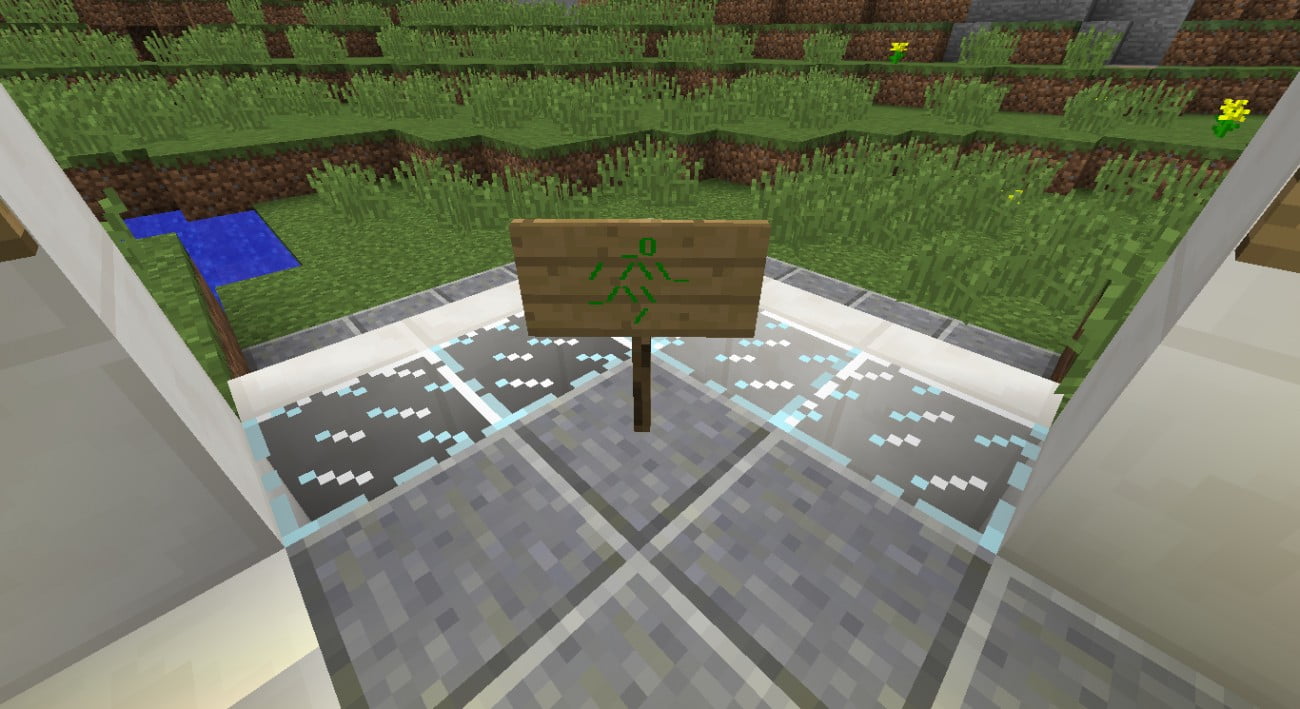
 Emergency exit sign"/>
The emergency exit sign from Dekili in colour.
Instructions:
Material:1x command block
1x button
Just enter the following command in the command block, put a button next to it, press it and you have the colored emergency exit sign. :-)
Tip: Copy the command, open the command block and press Ctrl+V, this will paste the command into the command block.
Command:
/give @p sign 1 0 {BlockEntityTag:{Text1:"["",{"text":"_O", "color": "dark_green", "bold":true}]",Text2:"["",{"text":"/ /\\\\_", "color": "dark_green", "bold":true}]",Text3:"["",{"text":"_/\\\\ ","color":"dark_green","bold":true}]",Text4:"["",{"text":"/","color":"dark_green","bold":true}]",id:"Sign"}}
Attention! Cheats must be allowed!




Cool!
Nice
This idea is unfortunately only executable in Creative, and Dekili's real idea was that you could make this shield in Survival as well. Still, it's a nice addition. Like!
Dekili's better. What you have done has no sense in my eyes.
Almost undetectable, and really it's just... with paint.